 Float Text
Copy list items one by one, over any app
Paste a list, open the floating window and tap COPY. Float Text copies the current line and jumps to the next, so you never switch apps for every field again.
Get it on Google PlayFree for Android 7.0 and later
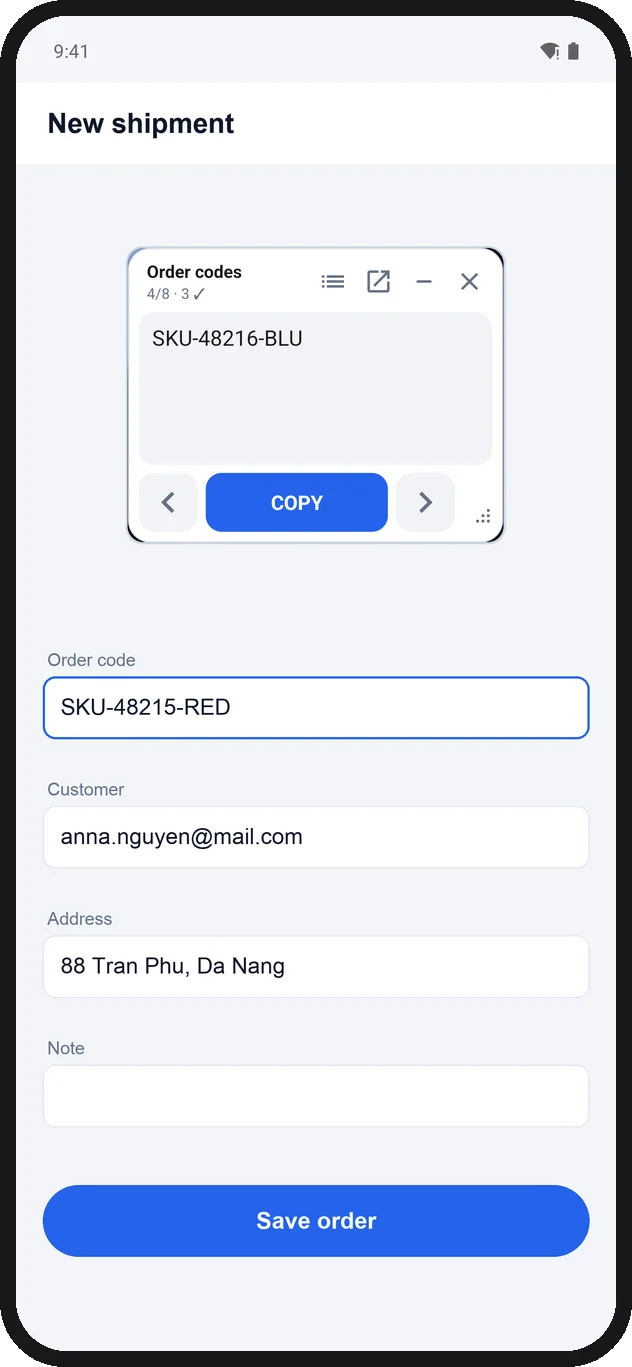
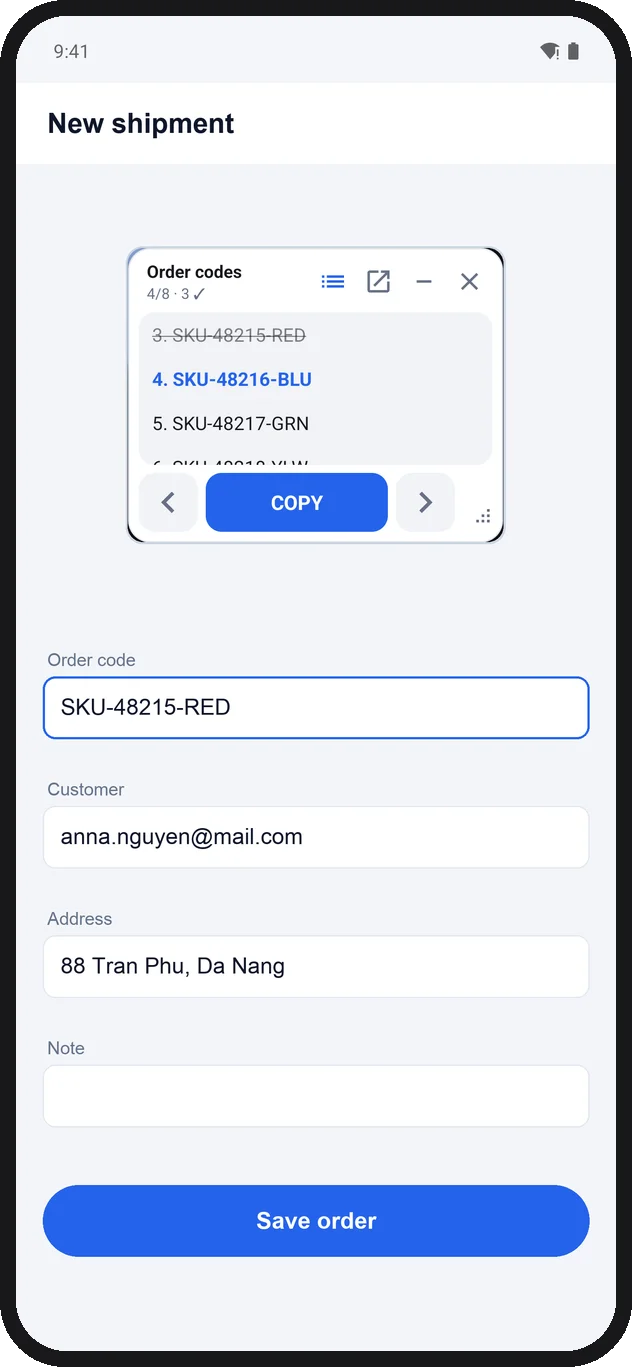
See what you copied and what comes next
The floating window stays on top of any app with your whole list. Copied lines are ticked, the next one is highlighted, and you can step back or jump anywhere.
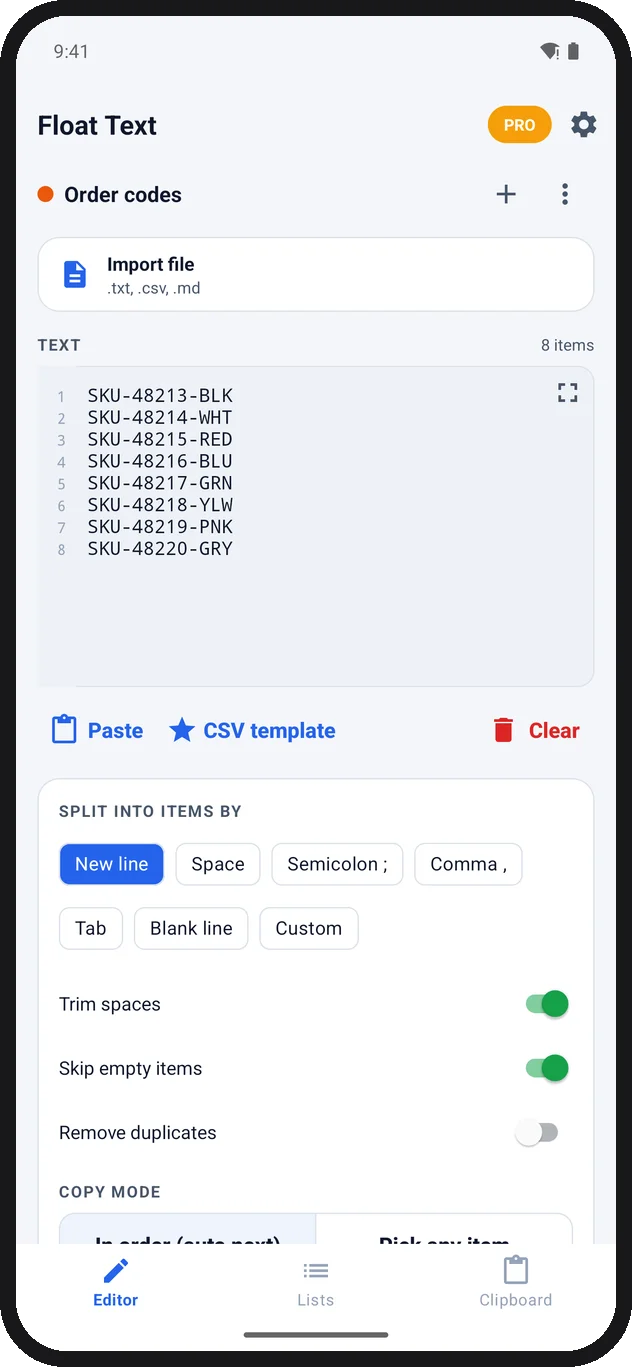
Paste, import and split in seconds
Paste text or import a .txt, .csv or .md file, then split it by line, comma, tab or your own separator. Trim spaces and drop blank lines automatically.
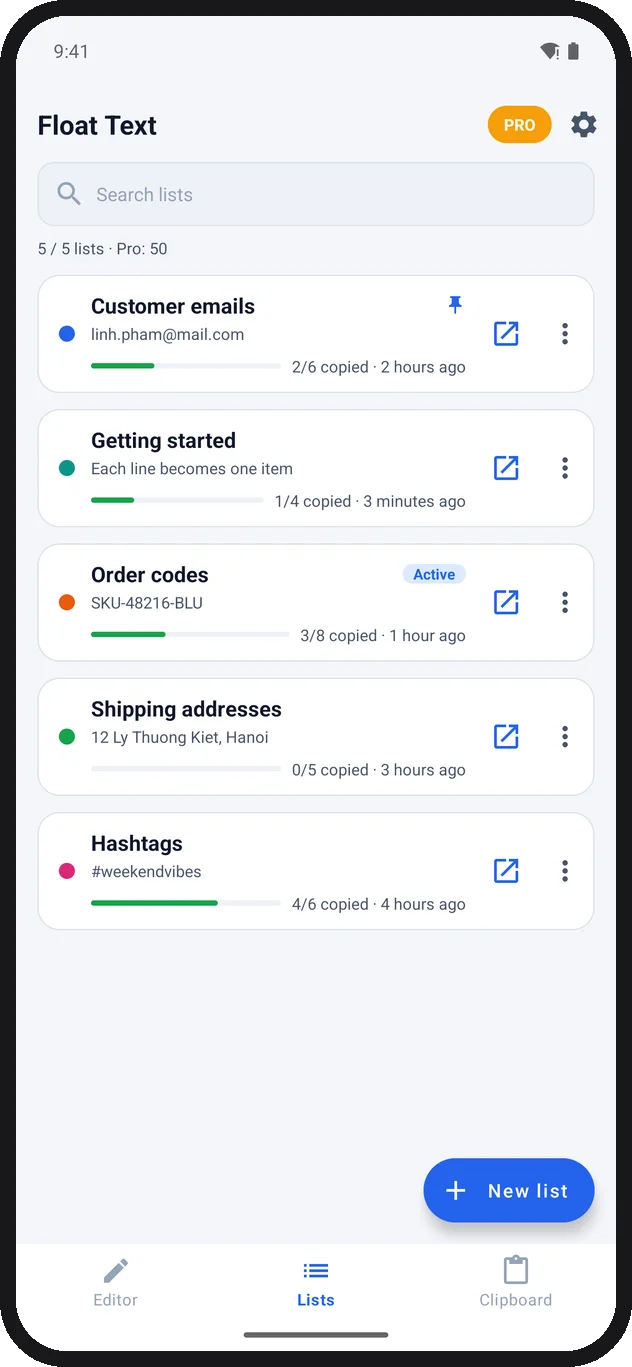
Lists that remember where you stopped
Keep as many lists as you need. Each one saves its progress, so you can close the app and pick up exactly where you left off.
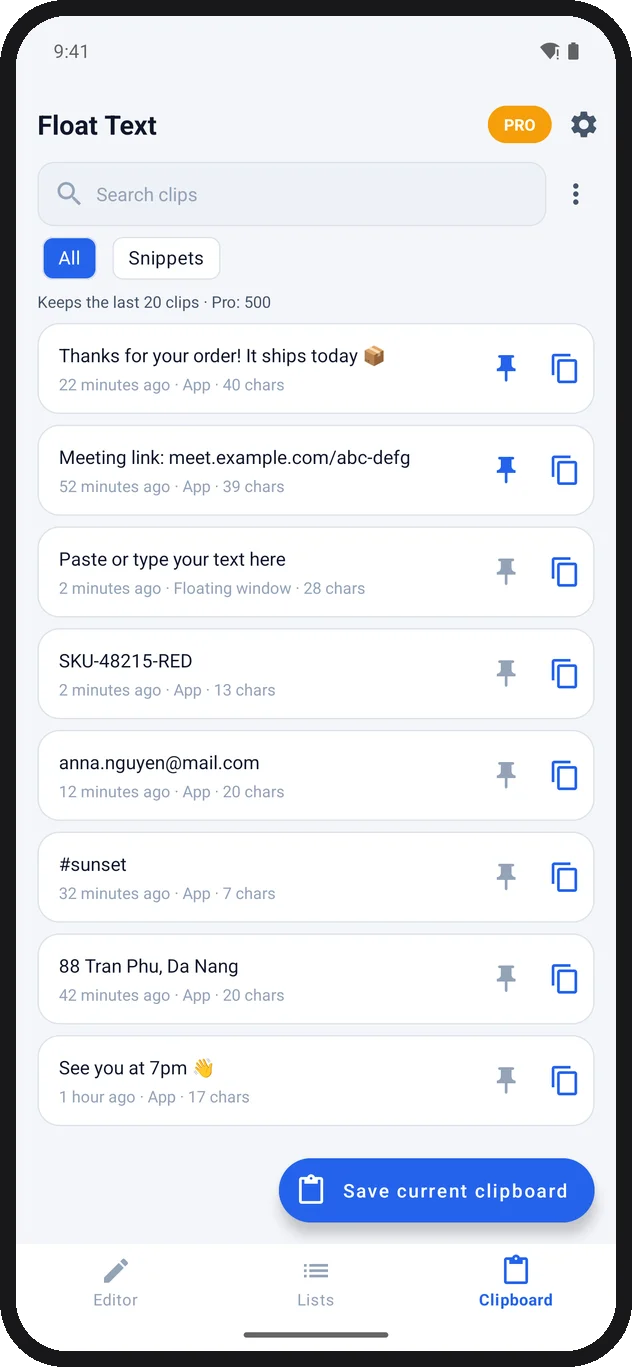
Clipboard history and snippets
Find anything you copied through Float Text, pin the replies you use every day and paste them from the Quick Paste keyboard. Passwords and codes are skipped by default.
Your text stays on your phone
Lists and clipboard history are stored only on your device. No account and no cloud sync. Read the privacy policy.
Get it on Google Play